
Your supplier raised costs. Which of your prices still make money?
Margin Desk compares your current prices with the supplier's new costs, flags every product that now falls below your target margin, and helps you set new prices one decision at a time.
Founder price until 31 January 2027 (normally US$499)
No sign-up, nothing to install, your files stay on your computer. Or download for Windows. One-time price, tax included, 30-day money-back guarantee. Version 2.2.0.
The problem, in plain words
When a supplier sends a new price list, every product you buy from them earns you a little less. With a few items you can check by hand. With hundreds, the products that quietly stopped being profitable are easy to miss.
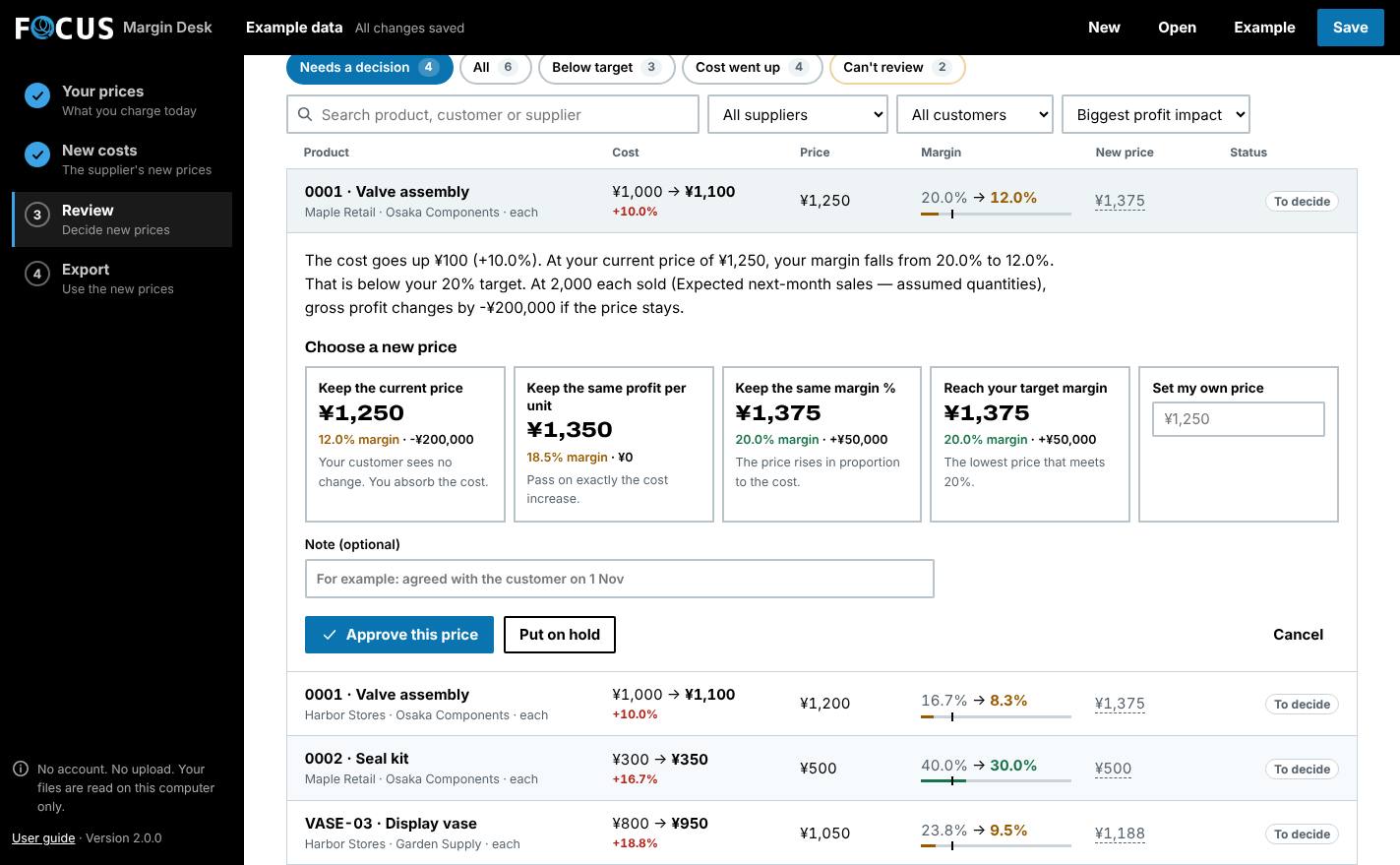
Margin Desk reads your current price list and the supplier's new costs, matches them line by line, and shows which products need a new selling price, by how much, and what it means at the quantities you sell. You approve each price yourself, then export the list for your own system.
For wholesalers, importers and distributors who resell what they buy and keep their prices in Excel or can export them from their system.
How it works
Load your price list
Your products with today's cost and selling price, from your Excel file or a CSV export.
Load the supplier's new costs
The new price list as Excel or CSV. Confirm its columns once; Margin Desk lines up every product.
Decide and export
See which products fall below your target margin and by how much. Approve new prices, export the list, and print a price change letter for each customer.
A worked example
Fictional scenario. You decide whether to adopt the proposal. A higher selling price may affect demand; the software does not forecast that effect or guarantee profit.
- Current → new cost
- ¥1,000 → ¥1,100
- Selling price stays
- ¥1,250
- Gross margin falls
- 20% → 12%
- Price at a 20% target
- ¥1,375
What it does
Start with what needs attention
Filter cost increases, below-target margins and missing quantities. Sort known impacts and narrow the review by supplier or customer.
Compare pricing choices
Compare keeping the selling price, protecting unit gross profit, protecting the original margin, or meeting your target. Proposals round upward and never automatically reduce the current price. These are scenarios, not demand forecasts.
Price everything below target at once
One button suggests prices for every product below your target margin. Check the list, then approve it. Products on hold, already approved or with a problem stay out.
Open your Excel file directly
Load an Excel workbook (.xlsx) or any CSV, with your own column names in English or Japanese. Shopify product exports, amounts with ¥ or $ and supplier names with or without “Ltd” are recognised. Every problem row is listed before anything is replaced; missing quantities stay unknown, never zero.
See the effect by customer
A table ranks customers by the profit at stake if prices stay, with how many of their products fall below target. Start the price conversations where they matter most, then select a customer to review only their products.
Tell customers, with the evidence
Create one editable price change letter per customer from the prices you approved: current price, new price and how much your own cost rose. Edit the wording and print.
- What you load
- Current price list + supplier cost update (Excel or CSV)
- What you get out
- Approved prices CSV · all-products CSV · HTML report · price change letters · JSON workspace
Try it on your own files first, free
| Free trial | Your whole file on screen; exports up to 25 products No time limit, no sign-up. You can save your work. |
|---|---|
| Full edition | 5,000 products + 5,000 new costs, unlimited exports Opens the work you saved in the trial. |
| Runs on | Windows 10/11 (64-bit) with .NET Framework 4.8 and WebView2. The ZIP also includes a browser edition. Currently unsigned. Follow your organisation's software policy. |
Check it fits your case
One currency per scenario: JPY, USD, EUR or GBP. No currency or pack conversion, tax calculation, PDF import, ERP connection or automatic repricing. Use actual net costs and selling prices, not supplier list prices.
Questions before you buy
How can I review a supplier price increase against my current margins?
Does Margin Desk replace my spreadsheet or ERP?
Do I send FOCUS my business files?
Do I need an account, API or server?
Does it autosave or support shared editing?
Can I keep my trial work?
Is there a subscription?
What if it isn't right for us?
What should I check before using it for work?
Not sure it fits? Ask us. No need to attach any files. Contact FOCUS