
Is your supplier paying all the rebates they promised?
Rebate Check works out the rebate you should have earned from what you bought, compares it with what you actually received, and shows exactly where the gap comes from.
No sign-up, nothing to install, your files stay on your computer. Or download for Windows. One-time price, tax included, 30-day money-back guarantee. Version 2.2.0.
What is a supplier rebate?
A rebate is money a supplier pays you back for buying from them. For example: “2% back on everything you buy this year”, or “3% back once you buy more than $100,000”. It is usually paid months later, as a payment or a credit note.
Because it arrives late and depends on totals, rebates are easy to get wrong. Some purchases are left out, a tier is missed, or a payment simply never comes. Rebate Check takes the rule you agreed, your purchase records and the rebates you received, and calculates the difference for each agreement, with every purchase that counted listed underneath.
For distributors, wholesalers and buying teams who have rebate agreements with suppliers and keep purchase records they can export to Excel or CSV.
How it works
Enter the agreement
Type in the supplier, the dates and the rebate rate or spend tiers, or import them from a CSV.
Load purchases and receipts
Import your purchase records and the rebates you received, as Excel or CSV exports from your accounting or sales system (QuickBooks, Xero, Sage and others).
See the difference
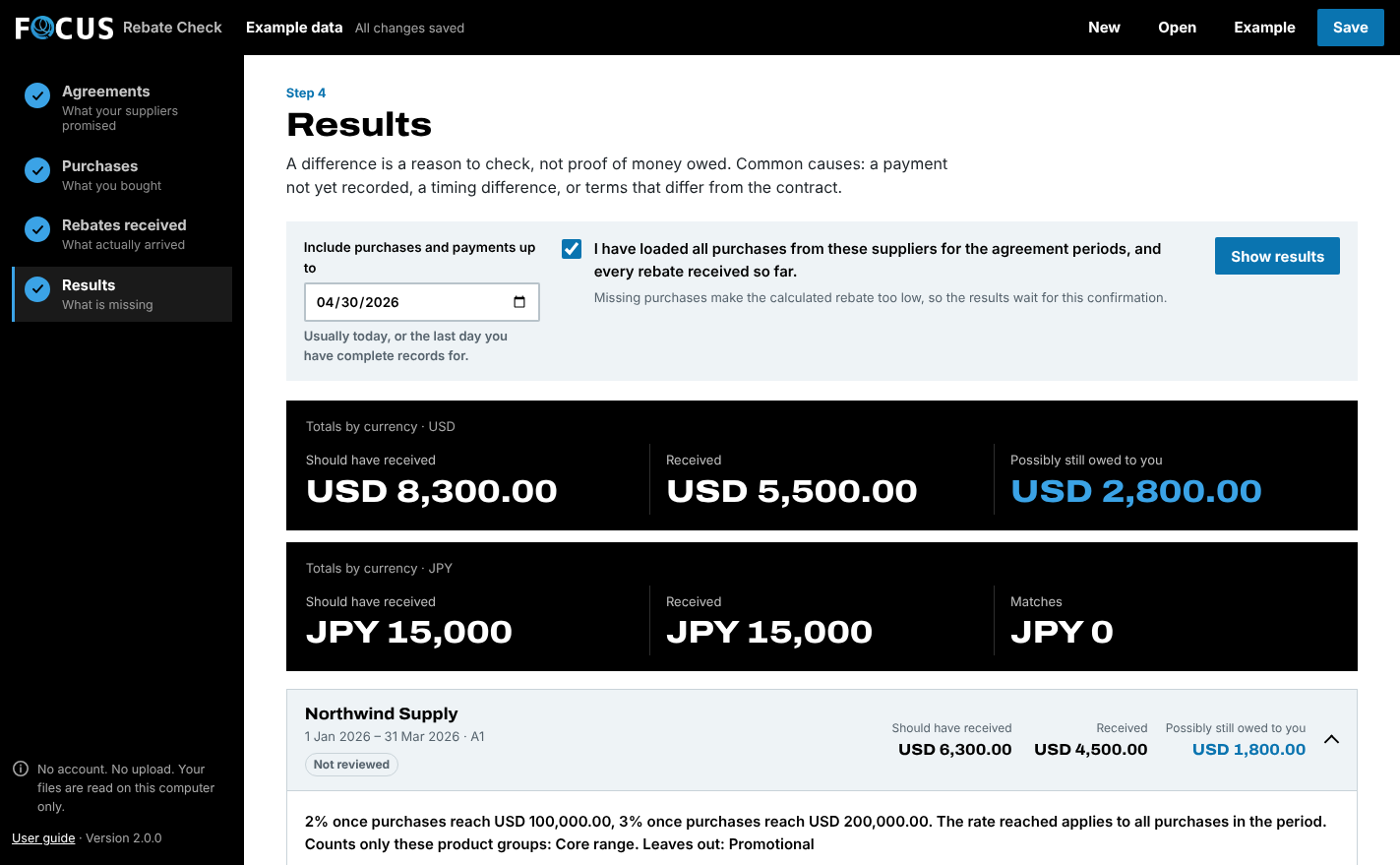
Rebate Check calculates what you should have received for each agreement, lists every purchase that counted, and shows the gap to follow up.
A worked example
Fictional agreement from the English demo. A difference is not proof that money is owed: check receipt timing, the terms and source completeness before acting.
- Eligible purchases
- US$210,000
- Achieved rebate rate
- 3%
- Calculated / received
- $6,300 / $4,500
- Difference to review
- US$1,800
What it does
Use your agreed rules
Answer a few plain questions and Rebate Check builds the rule: a flat percentage, a reached level applied to all eligible spend, a different percentage for each spend band, or a rate set by growth over last year. A live preview checks your numbers.
Reach the next tier in time
While a deal is running, Rebate Check lists the agreements within reach of a higher rebate: how much more to buy before the period ends and how much more rebate that earns, with the pace so far.
See what qualifies
Review eligible purchases, returns, excluded groups and dates. Ambiguous or invalid inputs block financial results.
Organise the follow-up
Keep a review status, owner or reference, notes, next action and follow-up date with each agreement. Changed records or rules flag earlier reviews for rechecking.
Explain and claim
Export a focused evidence packet with terms, calculation, contributing records and review notes. When a finished period shows less received than calculated, draft an editable letter asking the supplier to confirm, with the calculation. You check and send it; nothing is sent automatically.
Compare an earlier check
Keep a named calculation snapshot and compare a later check. Changes in scope, new or removed agreements and incompatible currencies are made explicit.
- What you load
- Agreement terms + purchases and rebate receipts (Excel or CSV)
- What you get out
- Summary CSV · all row decisions · issues CSV · HTML report · supplier claim letter · JSON workspace
Try it on your own files first, free
| Free trial | 3 supplier agreements, your whole purchase file No time limit, no sign-up. You can save your work. |
|---|---|
| Full edition | 200 agreements + 50,000 purchases + 50,000 receipts Opens the work you saved in the trial. |
| Runs on | Windows 10/11 (64-bit) with .NET Framework 4.8 and WebView2. The ZIP also includes a browser edition. Currently unsigned. Follow your organisation's software policy. |
Check it fits your case
For compatible monetary rebates only. No contract interpretation, per-unit rebates, overlapping qualifying programmes, FX conversion, tax calculation, automatic claim submission or accounting entries. File and calculation limits apply; they are not an enterprise-performance guarantee.
Don't split an agreement period just to fit the trial: it can change whether a tier is reached. Use Full for a complete period.
Questions before you buy
What kind of supplier rebates can Rebate Check reconcile?
Does a rebate difference mean the supplier owes me money?
Do I send FOCUS my business files?
Do I need an account, API or server?
Does it autosave or support shared editing?
Can I keep my trial work?
Is there a subscription?
What if it isn't right for us?
What should I check before using it for work?
Not sure it fits? Ask us. No need to attach any files. Contact FOCUS